
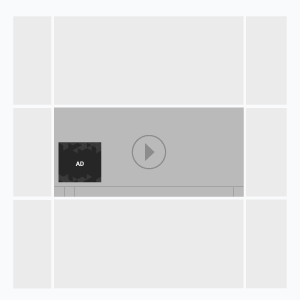
An ad format that appears in VAST 2.0 compatible video player on top of the main video. Banner can be closed by user or automatically after the indicated period of time. Banner can be centered along the bottom of the video or stretched to the full width. These parameters are set by the video player.
Inventory Compatibility:
Local inventory (direct publisher zones) and External SSP inventory.
General format requirements
Format
.jpg, .jpeg, .png, .gif
File size
max 200 kb
Duration
5-15 sec
Banner size, px
300×50, 450×50, 728х90, 100%х50, 100%90 (commonly used sizes)
- Width: 100% of a player width (flexible creatives); fixed width (less than a player width). Dimensions of a video player depend on a web site;
- Height: not more than 1/5 player width.
Sound
No sound
Buttons
The “Close” button is added by the player in the right upper corner of the creative
XML file
The Platform generates a tag for a video player (NonLinear VAST URL) and XML file with a link to the creative and a list of event trackers (view, click). The video player should be VAST 2.0 compatible. More information on IAB Digital Video Ad Serving Template (VAST) can be found here: https://www.iab.net/vast
Parameters, delivering with XML
Main:
- width – creative width.
- height – creative height.
- minSuggestedDuration – duration of a banner appearance; hh:mm:ss. This parameter can be used by a player.
- scalable (true/false) – if the parameter is ‘false’ width of the creative should be considered by a player; if the parameter is ‘true’ the creative is stretched to the full player width. Creatives in .jpg, .png formats are not scalable.
Extensions:
- skipTime – time for a Close button appearance (hh:mm:ss); relevant field in the creative template Skip ad in, sec.
A video player is accounting for additional parameters.
Parameters are set in the creative template.
Template Settings
The template settings are available in the UI.
File Type
- Local:
- File:
- Image, width and height are defined automatically
- Length — banner view duration, in seconds
- Skip Ad — a period in seconds after which a close button appears
- Position:
- BOTTOM–LEFT — a banner is placed in the bottom left corner of the player’s container
- BOTTOM–CENTER — a banner is centered at the bottom of the player’s container
- BOTTOM–RIGHT — a banner is placed in the bottom right corner of the player’s container
- File:
- VASTXML — using the user’s .xml file that contains a link to a creative and standard event trackers
- VASTURL — using VASTURL from a third-party source
Event tracking
- View
- Confirmed view
- Click
- Skip
– Uses the main thread for more than 60 seconds in total
– Uses the main thread for more than 15 seconds in any 30-second window
– Uses more than 4 megabytes of network bandwidth